

- Overview
- Supported Wallets
- Step 1: Create or Select a Merchant Wallet
- Step 2: Connect Your Wallet to MetaMask
- Step 3: Set the Settlement Wallet
- Step 4: Select Supported Chains
- Step 5: Configure Token Acceptance
- Step 6: Enable AI Agent Controls (Optional)
- Security Recommendations
- Testing Your Wallet Configuration
- Common Issues & Troubleshooting
- Summary
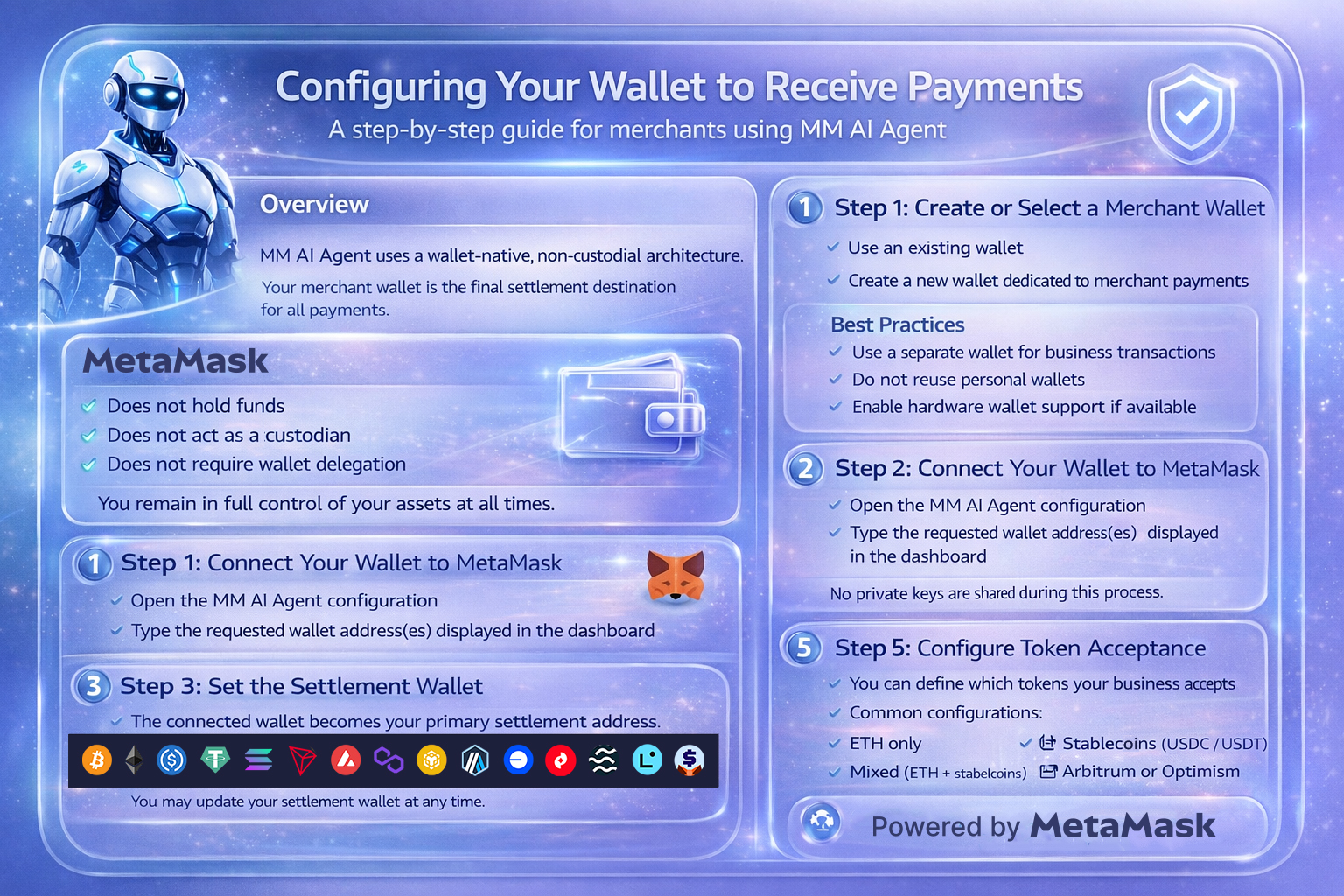
This guide explains how merchants can securely configure their wallet to receive payments using MM AI Agent. Proper wallet configuration ensures smooth settlement, accurate tracking, and full non-custodial control over funds.
Overview #
MM AI Agent uses a wallet-native, non-custodial architecture.
Your merchant wallet is the final settlement destination for all payments.
CryptoCredits:
- Does not hold funds
- Does not act as a custodian
- Does not require wallet delegation
You remain in full control of your assets at all times.
Supported Wallets #
MM AI Agent is compatible with EVM-compatible wallets, including:
- MetaMask (recommended)
For best performance and AI agent compatibility, MetaMask is recommended.
Step 1: Create or Select a Merchant Wallet #
You may either:
- Use an existing wallet
- Create a new wallet dedicated to merchant payments
Best Practices #
- Use a separate wallet for business transactions
- Do not reuse personal wallets
- Store seed phrases offline
- Enable hardware wallet support if available
Step 2: Connect Your Wallet to MetaMask #
- Open the MM AI Agent configuration
- Type the requested wallet address(es) displayed in the dashboard
No private keys are shared during this process.
Step 3: Set the Settlement Wallet #
The connected wallet becomes your primary settlement address.
All incoming payments will:
- Settle directly to this address
- Be visible on-chain immediately
- Appear in your dashboard transaction history
You may update your settlement wallet at any time.
Step 4: Select Supported Chains #
Choose which blockchains you want to accept payments on.
Recommended setup:
- Ethereum (for high-value transactions)
- Polygon or Base (for low fees)
- Arbitrum or Optimism (for scalability)
Only selected chains will be enabled at checkout.
Step 5: Configure Token Acceptance #
You can define which tokens your business accepts:
Common configurations:
- ETH only
- Stablecoins (USDC / USDT)
- Mixed (ETH + stablecoins)
Unsupported tokens are automatically rejected by the AI agent.
Step 6: Enable AI Agent Controls (Optional) #
Merchants can configure AI payment agent behavior:
- Transaction risk threshold
- Gas optimization preferences
- Auto-retry logic for failed transactions
- Maximum transaction size per payment
These settings can be adjusted at any time.
Security Recommendations #
To protect your merchant wallet:
- Use a hardware wallet for high volumes
- Enable wallet password protection
- Never share seed phrases
- Use role-based access for team members
- Monitor wallet activity regularly
CryptoCredits never requires signing blind transactions.
Testing Your Wallet Configuration #
Before going live:
- Switch to a test network (if available)
- Initiate a small payment
- Confirm on-chain receipt
- Verify dashboard status update
Successful tests confirm your configuration is correct.
Common Issues & Troubleshooting #
Wallet not connecting
- Ensure your wallet is unlocked
- Disable conflicting browser extensions
Payment not received
- Check selected chain
- Confirm correct token
- Verify transaction hash on block explorer
High gas fees
- Switch to a lower-fee chain
- Enable AI gas optimization
Summary #
Proper wallet configuration ensures:
- Direct settlement
- Full asset control
- Secure and transparent payments
- Smooth AI-assisted checkout flows
Once configured, your wallet is ready to receive payments instantly.


